
⌕ Primary scan screen

Market Scan

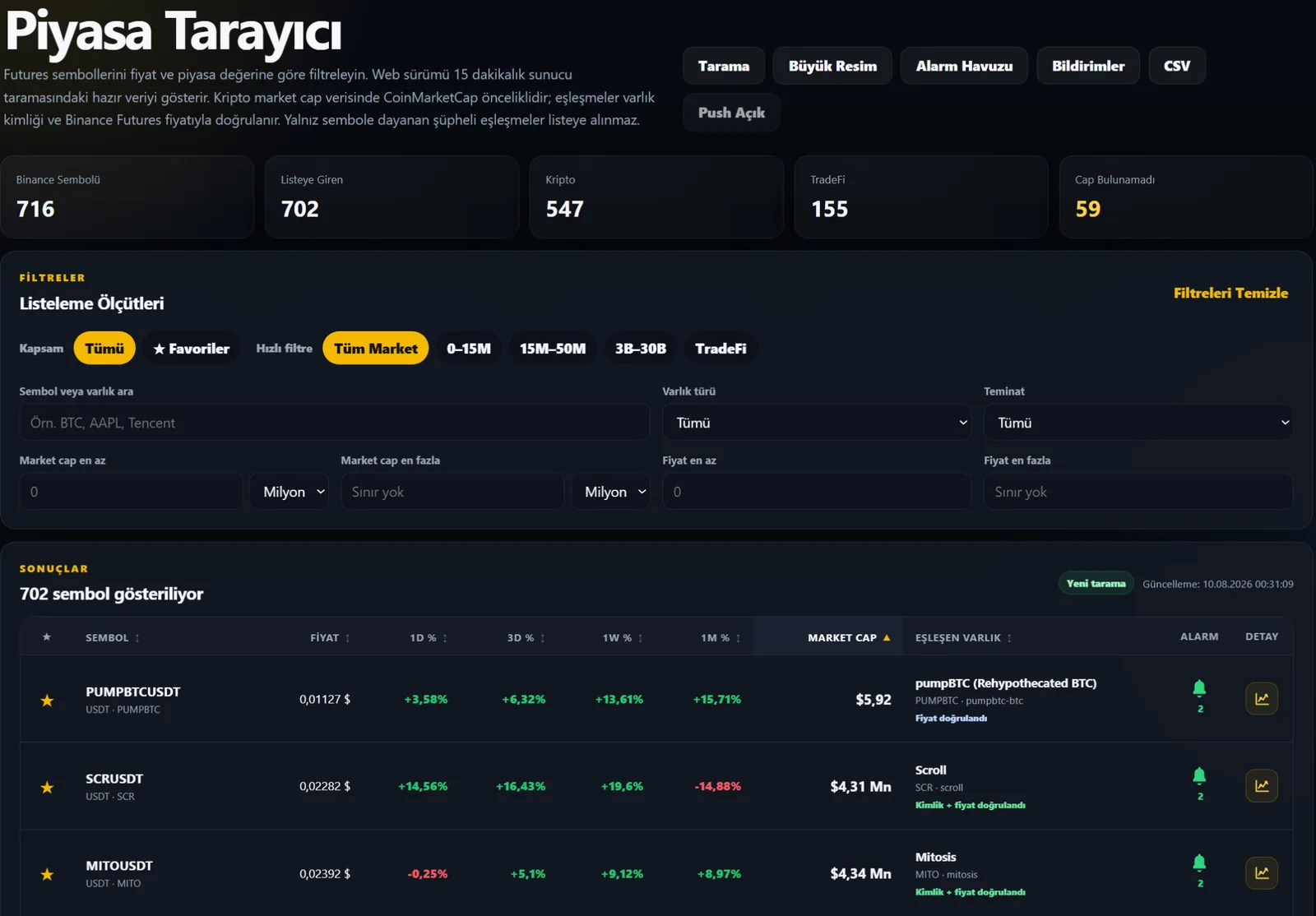
Quickly narrow the list using price, market cap, 1D / 3D / 1W / 1M performance and asset type. Manage candidates with favorites, My Notes, S1/R1 distance and chart shortcuts on one screen.
MC
Market Cap filtersReview different market-cap groups separately.
%
Multi-period performanceCompare 1D / 3D / 1W / 1M changes for the same symbol.
★
Favorites + My NotesSimplify your watchlist with personal priority levels and note filtering.
Market Scan
Market scan screenFilter · Favorite · Note · Alert · Chart
PivotPing is provided solely as an aid for analysis and market monitoring. It is not investment advice.

Favorite levels reflect your personal priority

Classify a symbol as Watch, Important, VIP or Close Watch and see the same priorities across related screens.

★ WatchStandard monitoring.
★ ImportantSymbols monitored more closely.
★ VIPHigh personal priority.
★ Close WatchA small set of symbols watched very closely.
⌕

Symbol search

Search quickly by symbol or asset name.

MC

Market Cap

Use min/max limits and preset market-cap ranges.

%

Performance

Compare and sort 1D, 3D, 1W and 1M changes in one table.

D/T

4H / 1D Dip-Peak

See percentage distance from current price to structural S1/R1 levels.

📝

My Notes filter

Show only symbols with saved notes in one click.

▥

Chart

Open the symbol’s multi-timeframe Price Action view.

After finding a candidate, see the context on the chart.

Deepen the scan result by reviewing S1/R1 levels, multiple timeframes and volume together.

PivotPing is provided solely as an aid for analysis and market monitoring. It is not investment advice.