
4H / 1D / 1W / 1M
Quickly compare the same symbol across different time scales.
Instead of looking only at percentage change or a single level, see the 4H / 1D / 1W / 1M structure together. S1/R1 levels, volume and Price Action details help you review scanner candidates with more context.
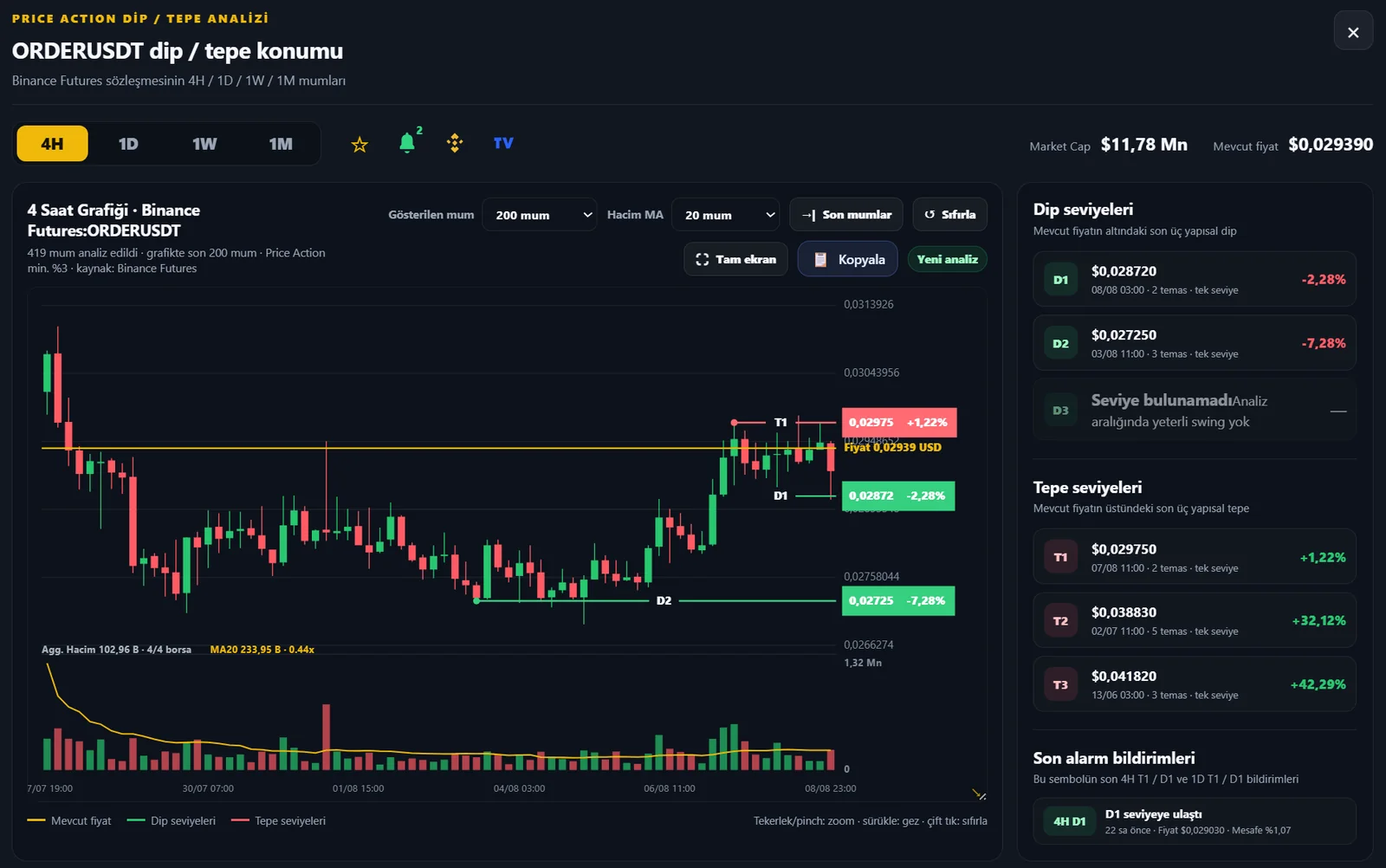
4H shows closer price behavior while 1D / 1W / 1M help reveal the broader structure. The same idea may not look equally strong across timeframes; the chart makes that difference visible.
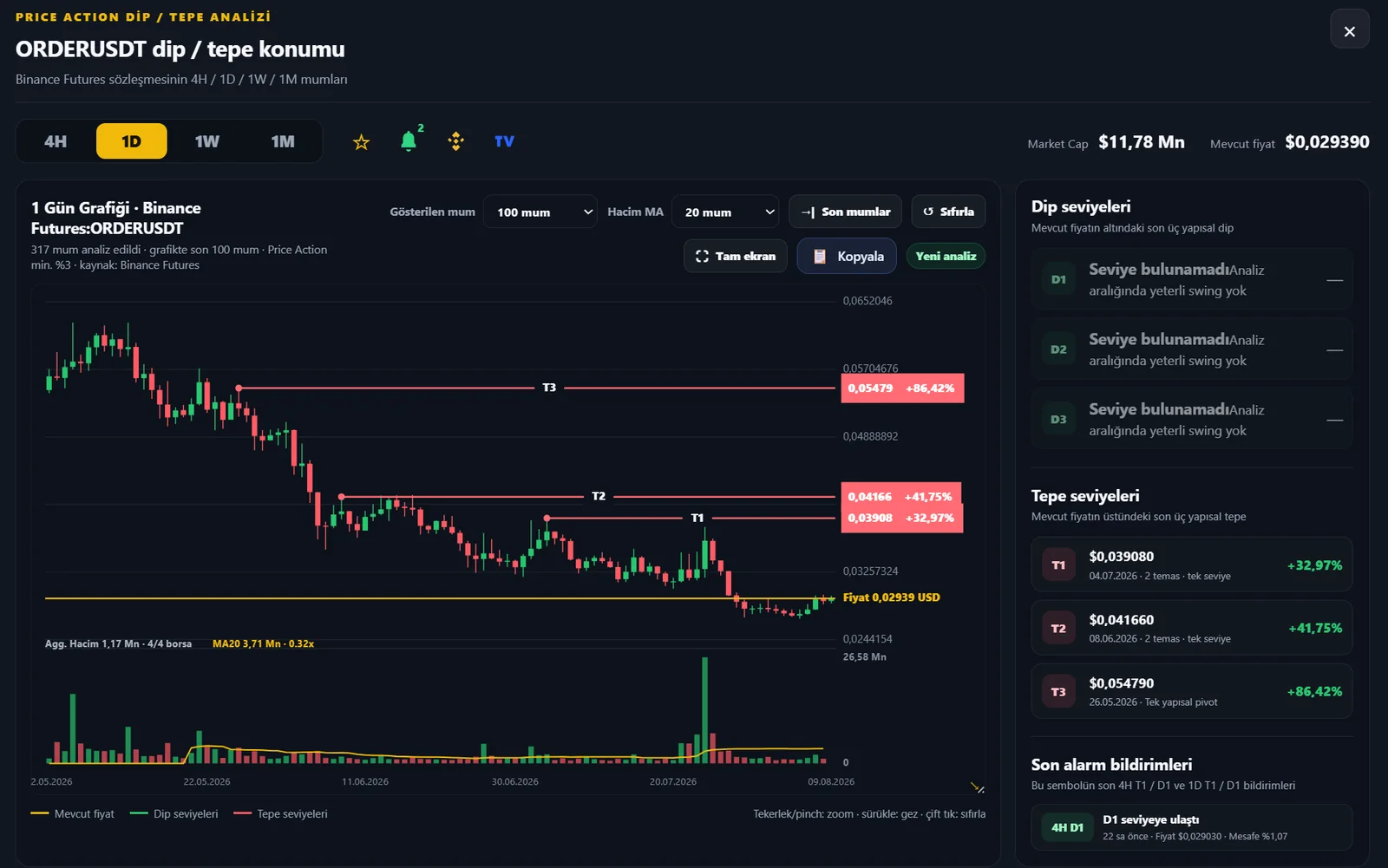
Quickly compare the same symbol across different time scales.
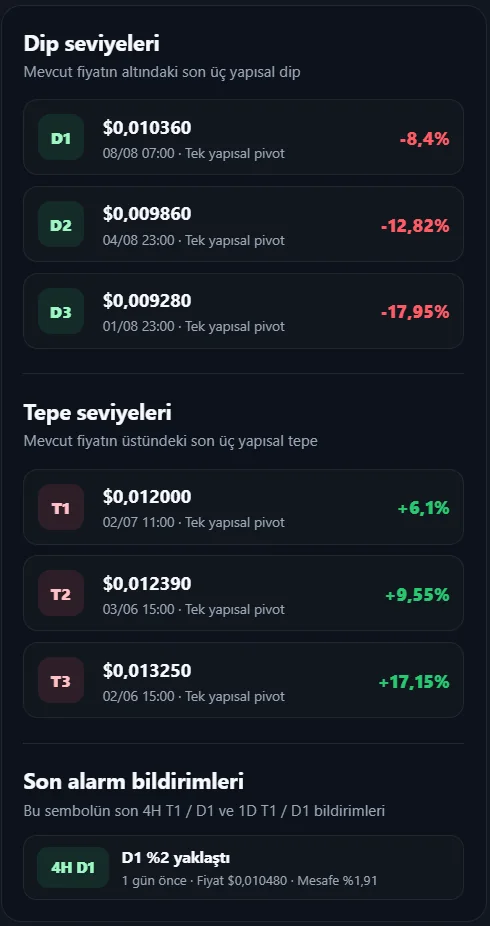
See the nearest active structural low and high sides together with percentage distance from price.
Read price movement together with current activity and selectable volume averages.
Zoom, pan through history and quickly return to the latest price area.
Review the chart in a larger area, especially on mobile and tablet.
Connect the symbol to your personal monitoring workflow without leaving the chart.
See current 4H consolidation, Extreme Move, Possible Reversal/Liquidity and S1/R1 data together with a six-month history of moves, consolidations, price range and volatility in one panel.
S1 represents the nearest active structural low/support side below current price, while R1 represents the nearest active structural high/resistance side above price. Percentage distance quickly shows how close price is to these levels.
Volume helps show whether trading activity is strengthening as price moves. It is more useful when read together with price structure and location rather than alone.
Scanners find candidates. The chart lets you see their multi-timeframe structure, levels and volume context in one place.